- Android Apps
- 15 Sep 2026
- 78 Views
How AI Is Changing Android App Development in 2026
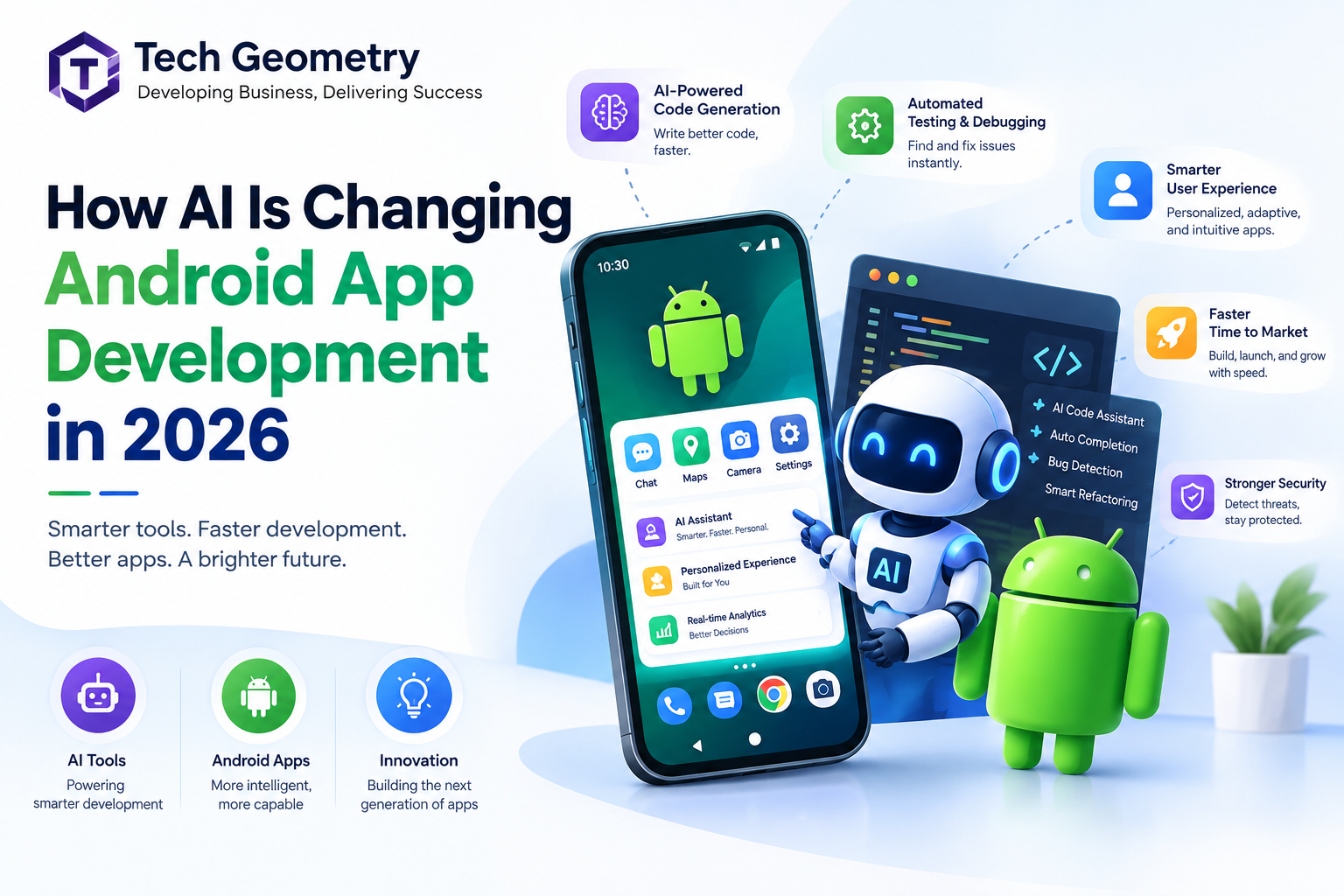
AI is becoming a part of how Android apps are built and how they work. Google is pushing this hard too. Gemini is now built into Android development tools and phones can run AI features directly, on the device without needing the internet. So what does AI actually mean for you if you are building an app or running a business that needs AI ?
1. AI Isn't Just a Feature Anymore - It's Becoming Part of the App
That’s changing now. Apps today can understand what you type. They can hear what you say. They can even look at a photo. Make sense of it. An online store can suggest products based on what you’ve looked at before. A learning app can see where you’re having trouble and change how it teaches. A support chat can answer your question without you waiting for someone to reply. It feels smarter. Faster. More personal.
2. On-Device AI: When Your Phone Does the Thinking
One of the changes happening right now is on-device AI. That means the AI runs directly on your phone instead of sending all your data to a server far away.
Why does this matter? Here are a few reasons:
- Your data never has to leave your phone, which makes it safer and better for privacy
- You can still use features even when your internet is slow or completely down
- Responses happen almost instantly because there's no delay waiting for a server
3. AI Is Also Changing How Developers Build Apps
Gemini, inside Android Studio works like a coding assistant. Gemini can write code explain errors and help developers move faster through repetitive parts of the job. Google has also added AI‑assisted project creation. A developer can describe an app idea in words and get a starting project structure, some code and basic UI to build on. If something breaks during the build AI can even take a pass at fixing it. To be clear this does not replace developers. This just takes the repetitive parts off developers plate so developers can focus on the harder problems.
4. AI Agents Are Taking On Bigger Development Jobs
There's an idea becoming more popular called agent-based development. Of just answering one question at a time an AI "agent" can take on a full task and work through it step by step. Android Studios Agent Mode is built for this kind of work. A developer can simply say what they want. Like "add a login screen with email and Google sign-in”.. The agent will figure out the steps edit several files and carry out the work without constant help.
This helps with tasks like:
- Setting up an app structure
- Making changes, across multiple files at once
- Fixing build errors
- Cleaning up old code
- Building UI components
- Testing and debugging
Developers still need to review the work closely.. It makes the process much faster.
5. Apps Are Getting More Personal
I think not every user wants the same thing from an app and AI helps give people what actually fits them. A shopping app can recommend items based on purchases. A fitness app can adjust workout suggestions based on progress. A news app can show stories that're closer to what someone actually reads. This kind of personalization keeps people engaged. It also comes with responsibility. If an app collects data to power these features that data must be handled carefully and in line, with privacy laws. Personalization should never come at the cost of trust.
6. Talking to Apps Instead of Tapping Through Them
Voice and conversation are becoming a way to use apps, not just a gimmick. Of clicking through five screens someone could simply say: "Find me a budget hotel, near Chandigarh for this weekend." A built AI feature can understand that voice request and pull up relevant results right away. The same goes for customer support. Of digging through a help center users can just ask their question directly.
7. Android 17 Is Pushing Apps to Be Smarter Everywhere
I think Android 17 is another piece of this puzzle. Google says Android 17 is a step toward an intelligent system with apps expected to work well on more than just phones. Think tablets, foldables and other devices. Along, with this Android 17 brings rules and APIs around privacy, security, camera, media and performance.
For anyone planning an Android app Android 17 means thinking beyond "does it work on a phone screen" and more toward "does it work well everywhere someone might use it.”
8. Will AI Replace Android Developers?
This question comes up a lot. Its a fair one.
- AI can write code fast.. It still can't decide:
- What the app should actually do for its users
- How the whole system should be structured
- Which tools and technology fit the project
- How to keep user data safe
- How the app should perform under real-world use
- How to test it properly
- How it should scale as it grows
- AI-written code can also have bugs or security gaps that need a human eye to catch.
The developers who do well in 2026 aren't the ones ignoring AI or blindly trusting it. They are the ones using it as a tool while still making the decisions themselves.
9. Security Matters More, Not Less
The more an app depends on AI the more data it ends up managing. Things like messages, files, pictures, location details and sensitive business content. That means security can't be an afterthought. It has to be a priority.
There are some steps that should never be skipped:
- Secure APIs
- Strong login and authentication
- Safe encrypted data storage
- Careful permission handling
- Secure data transfer
- Regular security testing
- Responsible transparent AI use
Android 17 brings new privacy and security changes. So testing how your app works with these updates is more important, than ever.
10. What This Means If You're a Business Owner, Not a Developer
If you own a business and are considering making an Android app here is the truthful starting point: identify the issue you are trying to solve before you think about adding AI features.
Some examples of where AI makes a real difference are:
- A store that wants intelligent product suggestions
- A company that offers services and wants a support helper that truly responds to questions
- A learning website that wants to create personalized learning journeys
- A company that handles deliveries and wants better routes, for sending things
- A medical website that wants to manage information more effectively (done with care and attention to privacy).
If you are looking into how this might work for your business Tech Geometry focuses on real-world web, software and Android app development. Excited to discuss what truly fits your project.
11. Where Is All This Headed?
Android app development is likely to continue moving toward apps that're smarter more personal and more automated without requiring constant attention from users.
Keep an eye on:
- AI agents built directly into apps
- powerful on-device AI
- Voice becoming a main way to interact
- Apps that understand text, image and voice together
- Smarter faster in-app search
- AI helping with testing not just writing code
- Apps that adapt naturally across phones, tablets and other devices
- Stronger privacy and security built in from the start
Google is already experimenting with AI agents that can complete tasks, inside apps on a users behalf while still keeping the user in control of anything. That is a hint of where things are heading. Apps that do not just respond to taps but actually help get things done.